Understanding Password Managers
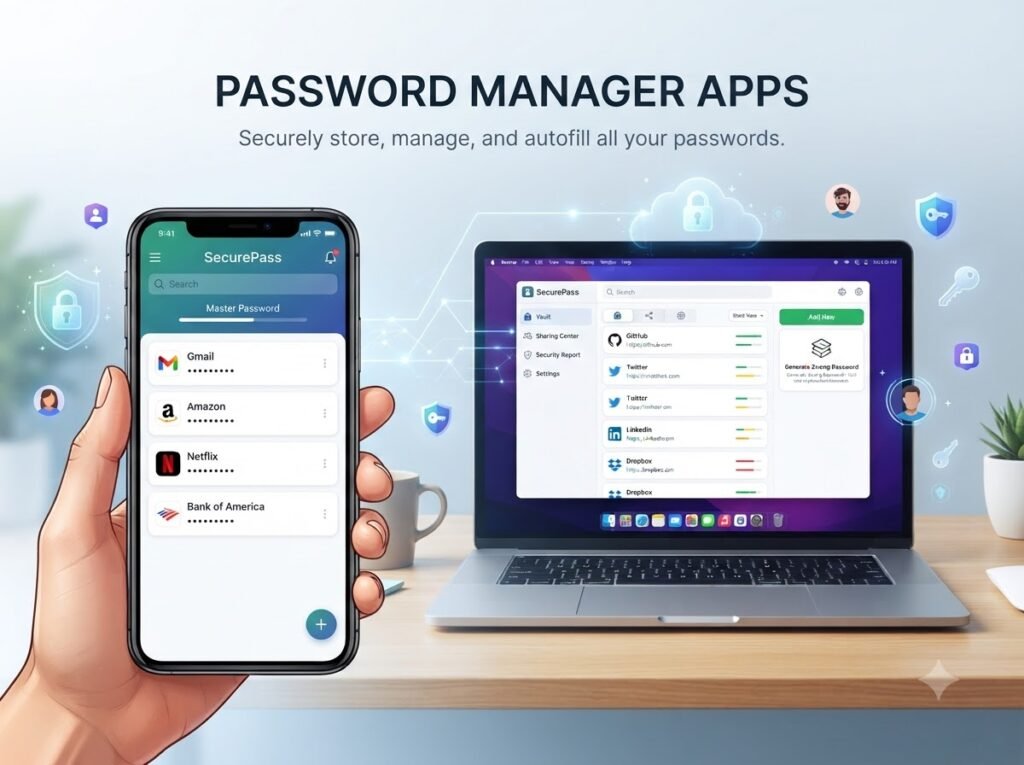
Password managers are software applications designed to store and manage users’ passwords in a secure manner. They enable individuals to create strong, complex passwords and save them in an encrypted format, alleviating the burden of remembering multiple credentials. By using a password manager, users can generate unique passwords for each of their online accounts, significantly reducing the risk of security breaches that often stem from using weak or reused passwords.
The operation of these tools is based on a simple yet effective principle: they act as a vault for storing sensitive information. Upon signing up with a password manager, users create a master password, which is the only password they need to remember. All other passwords are stored securely and can be accessed easily by entering the master password. Most password managers also offer browser extensions and mobile applications, ensuring that users can autofill passwords when logging into accounts online.
One of the key benefits of using a password manager is its ability to enhance overall online security. They not only store passwords but can also provide features such as password sharing, secure notes, and two-factor authentication, offering an added layer of protection when accessing accounts. Moreover, the integration of a password manager with various devices allows for seamless password management across desktops, tablets, and smartphones.
In today’s digital age, where data breaches are prevalent, the use of a reliable password manager has become almost essential for safeguarding personal information. The simple act of organizing and securing passwords with such tools can prevent unauthorized access and mitigate the risks associated with identity theft and cyber threats. Thus, understanding how password managers work, and recognizing their importance, is vital for anyone looking to enhance their personal and online security.
Key Features to Look for in a Password Manager
When selecting a password manager, it is crucial to evaluate several key features that can significantly impact both security and user experience. The first essential feature is password generation and storage. A reliable password manager should offer a built-in password generator that creates complex and unique passwords for each of your accounts. This feature helps strengthen your overall security by reducing the risk of password reuse.
Another important aspect is cross-device synchronization. In today’s digital landscape, users frequently access accounts from multiple devices such as smartphones, tablets, and computers. Therefore, the ability to synchronize passwords across these platforms seamlessly ensures that users have access to their credentials wherever they need them.
Security protocols are pivotal, as they determine how your sensitive information is protected. Look for password managers that employ strong encryption standards such as AES-256, which ensures that your data remains secure from unauthorized access. Furthermore, features like two-factor authentication (2FA) add an extra layer of security, making it more challenging for potential intruders to gain access to your accounts.
The ease of use is another vital feature to consider. A password manager should have an intuitive interface that allows both novices and experienced users to navigate with ease. The onboarding process should be straightforward, enabling users to import their existing passwords without hassle.
Additionally, features such as secure sharing can be incredibly beneficial for users who need to share access to accounts without revealing the actual passwords. A good password manager should facilitate this process securely. Lastly, breach alerts are an invaluable feature that notifies users if any of their stored credentials have been compromised, enabling prompt action to protect their accounts.
Overall, when choosing a password manager, assessing these features will help ensure that your security needs are met while promoting a smooth user experience.
Top Password Manager Apps Reviewed
In the digital age, the security of our online accounts is paramount, and password managers have emerged as essential tools for safeguarding sensitive information. This section examines several highly rated password manager applications tailored to enhance everyday security.
1. LastPass: A leading password management solution, LastPass offers an intuitive interface with autofill capabilities, allowing users to store passwords in a secure vault. Key features include password generation, secure sharing options, and cross-platform accessibility. LastPass operates on a freemium model, providing essential features at no cost, while premium subscriptions unlock advanced functionalities, further enhancing user experience.
2. 1Password: Renowned for its robust security measures, 1Password integrates end-to-end encryption, ensuring that user data remains confidential. It supports various platforms, from desktop to mobile devices. 1Password’s unique features, such as Travel Mode, protect sensitive information during international travel. While it lacks a free version, its pricing is competitive for families and teams, making it a valued investment.
3. Bitwarden: For those seeking an open-source option, Bitwarden stands out within the password manager landscape. It offers an impressive array of features including password sharing, a built-in password generator, and an intuitive user interface. Bitwarden’s free version is exceptionally comprehensive, and its premium tier is priced affordably, making it an attractive option for users seeking quality without a significant financial commitment.
4. Dashlane: Focused on user experience, Dashlane emphasizes strong security features such as dark web monitoring and a built-in VPN. This application also provides timely security alerts to keep users informed of potential threats. While Dashlane offers a free version, its premium options come with added features, particularly beneficial for users prioritizing comprehensive online security.
By evaluating these password manager apps based on their features, pricing, and compatibility, users are better equipped to choose a solution that aligns with their security needs and preferences. Each application presents distinct advantages, making them worthy of consideration.
Best Practices for Using Password Managers
Utilizing a password manager effectively requires a set of best practices that can enhance your online security significantly. One of the most important practices is to create a strong master password that will secure your password manager account. A strong master password should be lengthy, ideally containing a mix of upper and lower case letters, numbers, and special characters. Avoid using easily guessable information such as birthdays or common phrases. Instead, consider using a passphrase or a random combination of words to boost security.
Additionally, enabling two-factor authentication (2FA) for your password manager adds an extra layer of protection. This requires you to enter a second piece of information, typically a code sent to your phone or generated by an authentication app, alongside your master password. By implementing 2FA, even if your master password is compromised, an unauthorized user would still need access to your second authentication method, thereby increasing the difficulty of unauthorized entry.
Regularly updating your master password is another key practice. Changing it every few months can help protect against potential breaches or unauthorized access. When updating, ensure you follow the same guidelines for creating a strong password. Additionally, make it a habit to review and update stored passwords within the manager occasionally. Delete any outdated or unused accounts to minimize your vulnerability.
Finally, always keep your password manager software up to date. Software updates often include security patches that protect against new vulnerabilities. In doing so, you help ensure that your sensitive information remains secure. Avoid common pitfalls such as storing your master password in plain sight or using the same password across multiple accounts, as these can significantly undermine the security provided by your password manager.
By following these best practices, you can maximize the effectiveness of your password manager, protect your credentials, and maintain a higher level of security in your digital life.